Intro
It’s me again, and today we’re going to talk about light. Light is super interesting, you can make a lot of beautiful visual effects and give life to magnificent scenes. Like the last intro on Material, this is an exhaustive look at light in the field of computer graphics, with an emphasis on ThreeJS of course 😆.
Shadow
We’re going to set up the shadows to understand the lights and their effect on the scene. It’s an important part of having a beautiful scene.
// put this with you render setup in construtor
this._renderer.shadowMap.enabled = true;
this._renderer.shadowMap.type = THREE.PCFSoftShadowMap;

//after that in constructor for me, i create the plane
const geometryPlane = new THREE.PlaneGeometry(10, 10);//plane 10x10 unit
const materialPlane = new THREE.MeshPhongMaterial({//white color
  color: 0xffffff,
});
const plane = new THREE.Mesh(geometryPlane, materialPlane);//create the mesh
plane.rotateX(-Math.PI / 2);//rotate to see the plane
plane.position.set(0, -2, 0);// its to prevent the futur objects.
plane.receiveShadow = true; // !important! we need this to see the shadow casted on it.
this._scene.add(plane);

//add a sphere who can cast shadow
const geometry = new THREE.SphereGeometry();
const material = new THREE.MeshPhongMaterial({
  color: 0x00ffff,
  shininess: 200,
  specular: 0x1f1f1f,
  emissive: 0x000000,
});
const sphere = new THREE.Mesh(geometry, material);
sphere.castShadow = true;//!Important! we need this to see his shadow.

sphere.rotateX(0.5);
sphere.rotateY(0.5);
this._scene.add(sphere);
Now we are able to calculate the lights. I can’t wait to show you 🤗. Also my goal is not to make a tuto, I want to show you the overview, copying and pasting won’t help. Please play with lights and shadows but take the time to do it on your own with only the documentation and a little music. I promise it’s exciting and you’ll be proud of yourself. (See also OrbitControls).
Ambient Light
Let me introduce you to the simplest light – ambient light. It simply illuminates all the objects in the scene. You can think of it as a variable that adds to the illumination values of all objects. What’s more, Ambient Light can’t cast shadows because it has no direction.
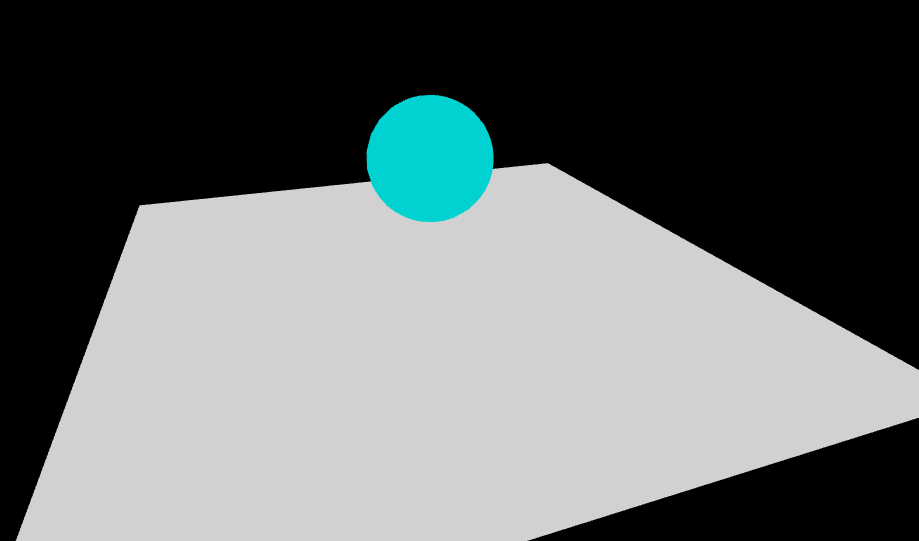
In the code I’m about to show you, I’ve set up ambientLight.castShadow = true, but as you can see, this doesn’t change anything, as no shadow has been cast. You can also see that there’s no specular effect because, once again, the ambient light has no direction.
const ambientLight = new THREE.AmbientLight(0xffffff, 2);
ambientLight.castShadow = true;
Directional Light
Directional light is used to simulate daylight. These are parallel rays that are cast in infinite patterns. You can place this light high above the scene in the sky and let it do its work.
const directionalLight = new THREE.DirectionalLight(0xffffff, 3);
directionalLight.position.set(-2, 2, 2);
directionalLight.castShadow = true; //!important! dont forget to cast shadow.
this._scene.add(directionalLight);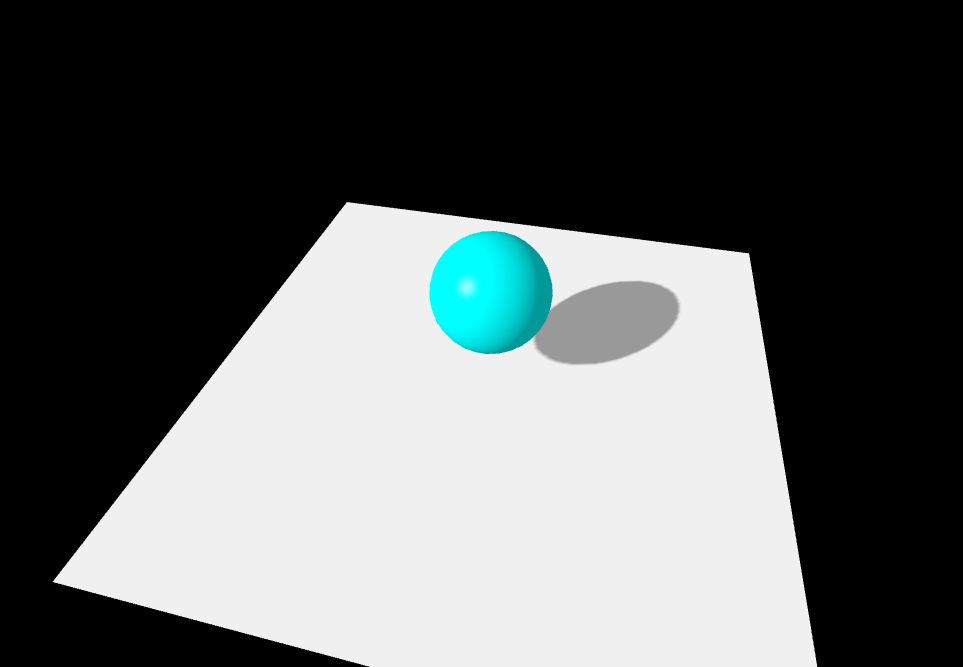
As you can see with directional light aka sunlight. We have a shadow and a specular reflection and a completely illuminated plane.
Point Light
This light is often used to make lamps or torches, as it casts rays of light all around it and creates shadows.
const pointLight = new THREE.PointLight(0xffffff, 50);
pointLight.position.set(2, 3, 2);
pointLight.castShadow = true;//!important! dont forget.
this._scene.add(pointLight);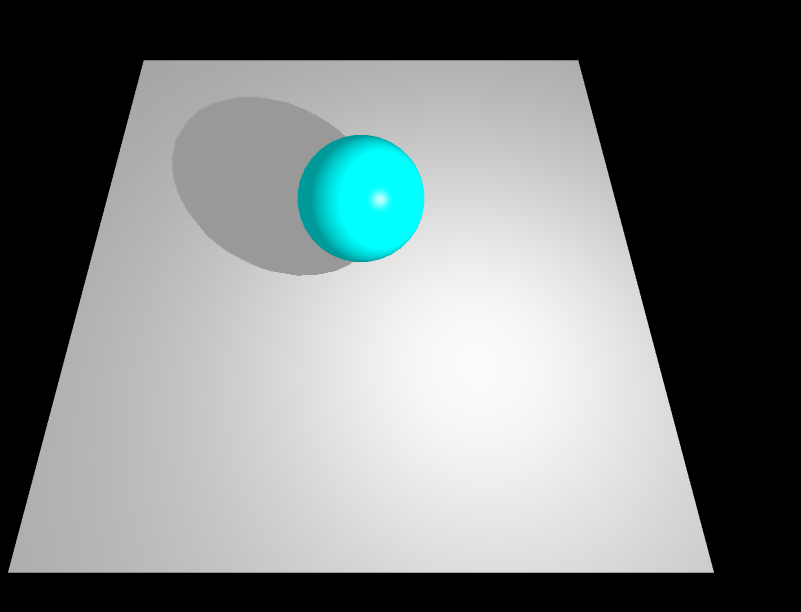
Here we see the lighting across the scene is inconsistent. So we can deduce that the rays are not infinite.
Spot Light
This light projects a connector that grows as it advances. It’s ideal for highlighting elements in a theatrical way.
const spotLight = new THREE.SpotLight(0xffffff, 15);
spotLight.position.set(0, 3, 2);
spotLight.target = sphere;// use can give an element to target, that's really cool.
spotLight.angle = 0.5;
spotLight.castShadow = true;
this._scene.add(spotLight);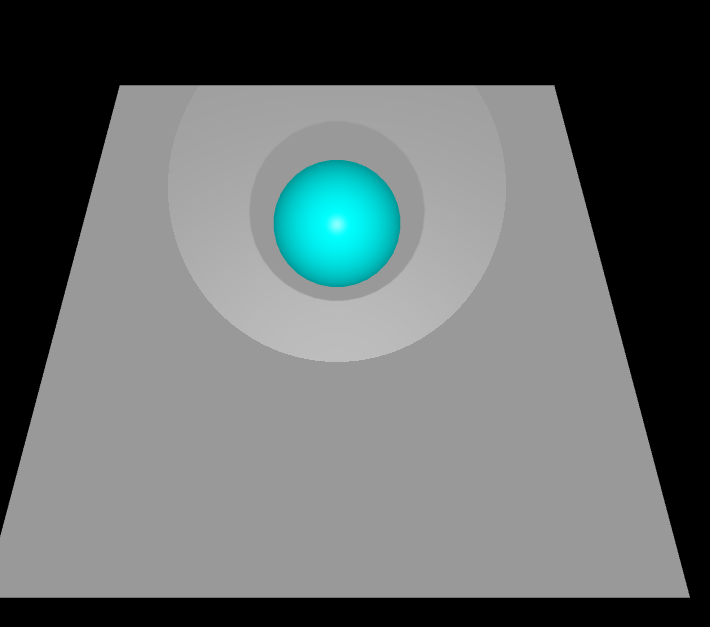
Hemisphere Light
It’s a truly impressive light, and this is where I thank Ricardo Cabello for existing. It’s a simple principle, but you had to think of it. This light gives more coherence to your scene. It will reflect the colors of the ground and sky onto your object. I’ve come up with this image which may simplify understanding:
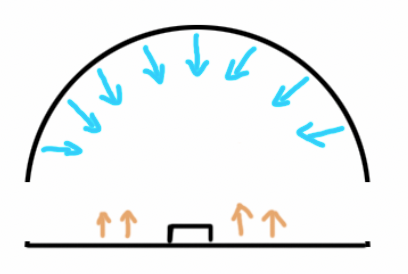
(this light casts no shadow)
RectArea Light
This light is square, doesn’t cast shadows and you’ll often use it for led panels. I really like its effect in a scene and you can see a nice one here by clicking here
The code:
RectAreaLightUniformsLib.init();//dont forget to import this one. I forgot every time haha
const rectLight = new THREE.RectAreaLight(0xff0000, 100, 10, 2);
rectLight.position.set(1, 2, 2);
rectLight.power = 5000;
rectLight.lookAt(sphere.position);

this._scene.add(rectLight);
const rectLightHelper = new RectAreaLightHelper(rectLight);
this._scene.add(rectLightHelper);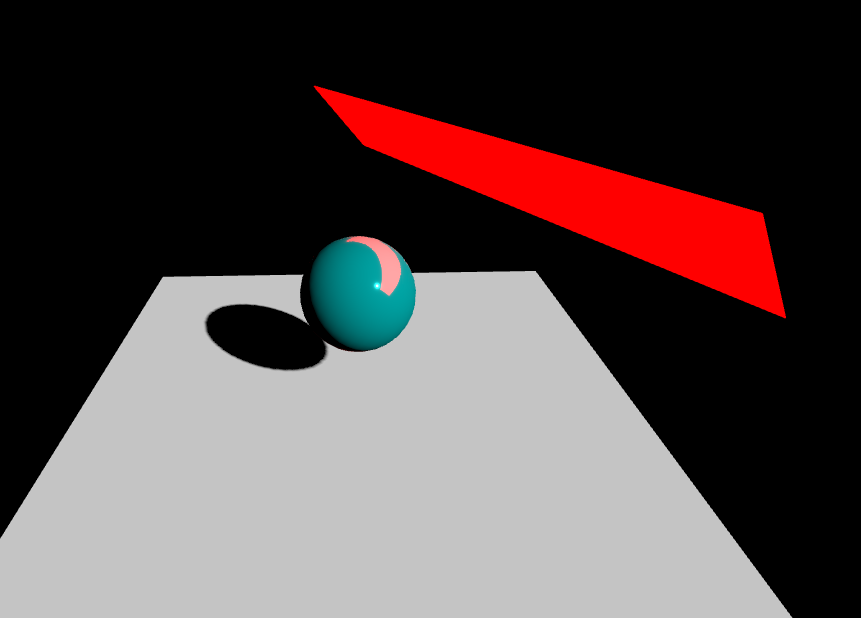
Conclusion
You’ve seen the basics of light, now you just have to combine them to make great things. I hope I’ve given you enough concepts. Now it’s in your hands, and I’ve no doubt you’ll be able to do great things!